
How-to guide · 4 of 7
Caregiver handoffs
Share what a sitter, grandparent or aide needs to know, for as long as you choose.
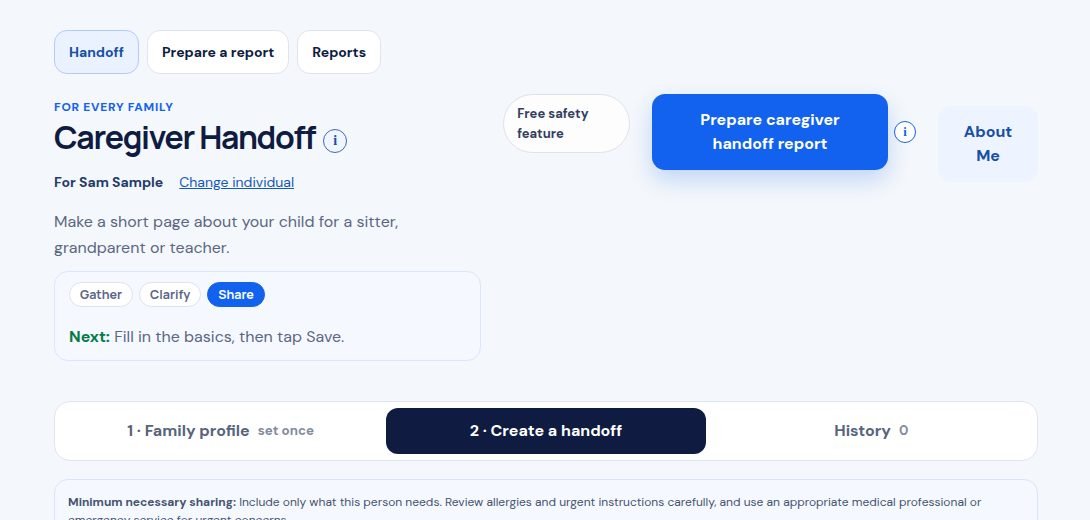
Where to find it Share, then Caregiver Handoff.
Step by step
- Open Caregiver Handoff. Fill in 1 · Family profile once, then save it.
- Tap 2 · Create a handoff. Pick who it’s for, like Grandparent or Babysitter.
- Check only what this person needs, like Allergies or Calming supports.
- Tap Save cheat sheet. Then print it or tap Share by email or text.
Tip: Want a helper to sign in to Mosaeli? Use Caregiver Access and choose how long they can see things. You can end it any time. Mosaeli never sends anything on its own.
Still stuck? In the app, open Help, Getting Started & Support, or send us a note. A real person reads it.