
How-to guide · 3 of 7
Goals and check-ins
Pick a goal, check in on a simple 5-step scale, and see how it’s going over time.
Where to find it Plan, then Goals.
Step by step
- Tap + Add goal. Write something that would feel meaningful, like “Brushing teeth with one reminder.” Tap Save.
- When you try it, tap + Add progress on that goal.
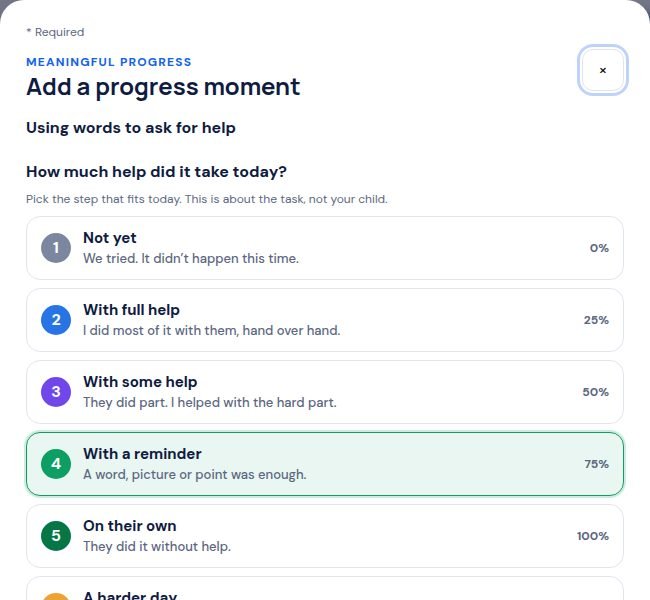
- Pick the step that fits today, from 1 · Not yet to 5 · On their own.
- Write what happened, and a strength you saw if you like. Then save.
Tip: Tough day? Pick A harder day. It never takes away progress.
Still stuck? In the app, open Help, Getting Started & Support, or send us a note. A real person reads it.