
How-to guide · 2 of 7
Appointment prep
Keep questions, visits and next steps in one place before you walk in.
Where to find it Plan, then Care & Calendar. Before the visit: Share, then Prepare & Share.
Step by step
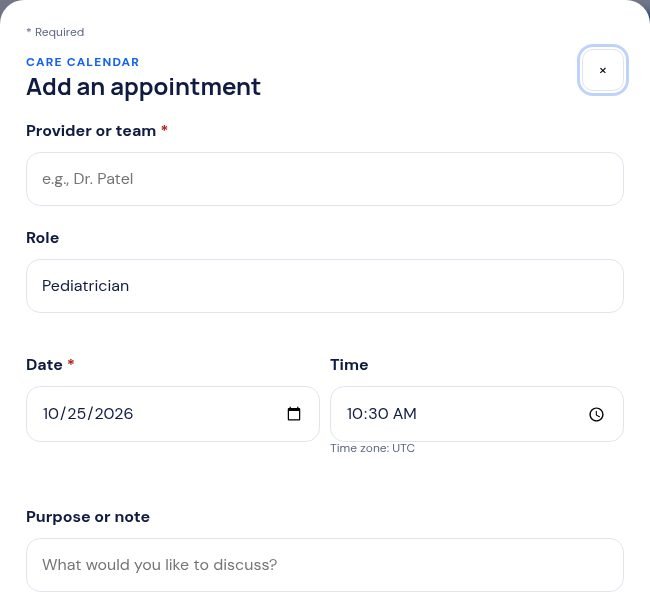
- Open Care & Calendar and tap + Add appointment.
- Type who it’s with, the date, and what you want to talk about. Tap Save appointment & reminders.
- Before the visit, open Prepare & Share. Choose the kind of report and who it’s for.
- Pick the notes and questions to bring. Check the preview, then tap Print / save PDF report or Share by email.
Tip: While you’re using Mosaeli, it reminds you 1 week before, 3 days before and the morning of the visit.
Free printable: the Appointment Prep Checklist shows what to gather before, ask during and do after a visit.
Still stuck? In the app, open Help, Getting Started & Support, or send us a note. A real person reads it.