
How-to guide · 1 of 7
Everyday notes
Write down what you notice, big or small. Strengths and wins count too.
Where to find it Tap + Moment at the top of any page. Or open Notes.
Step by step
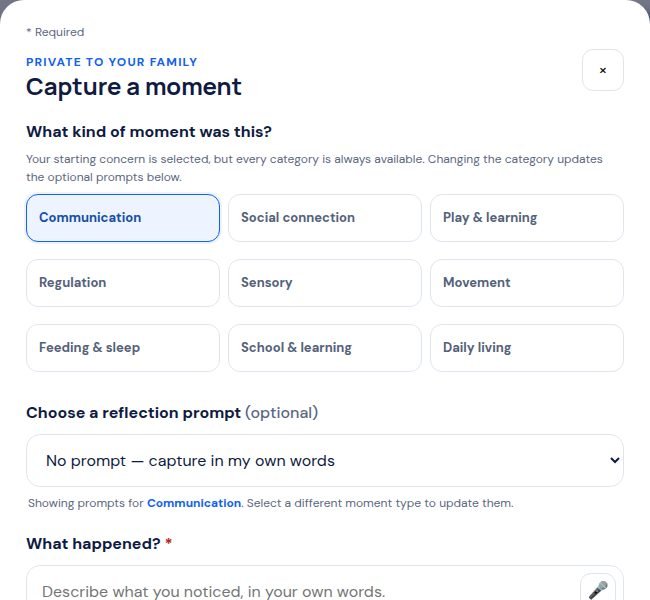
- Tap + Moment at the top of the screen.
- Pick what kind of moment it was, like Communication or Feeding & sleep.
- Under What happened?, write what you saw in your own words. You can tap the microphone and talk instead.
- Tap Save moment. That’s it.
Tip: A short note is enough. You don’t need to fill in every box.
Still stuck? In the app, open Help, Getting Started & Support, or send us a note. A real person reads it.